4K IPTV · 22,500+ channels

IPTV 4K — watch live TV in real 4K on the TV you already own

An IPTV 4K subscription streams 22,500+ live channels and 82,500+ films and box sets to your Firestick, Android box, Smart TV, phone or browser. One subscription, up to five screens, and picture that holds its detail on a big panel instead of falling apart the moment something moves.

No card needed for the trial · Activated by email, usually within the hour

A wall-mounted 4K television in a bright living room showing a vivid sports broadcast
22,500+Live channels
82,500+Films & series
Up to 5Screens at once
24 hoursFree trial
Plans

Pick a term, pick a screen count

Two decisions and you are done, whichever IPTV 4K subscription you land on. The number of screens is how many people can watch different things at the same time; the term is how long you want it for. The price you see is the price you pay — activation, the guide and the on-demand library are all in it.

1 Month

1 connection = 1 device
$25/mo
  • ✓ 22,500+ Live Channels
  • ✓ 82,500+ Movies & Series
  • ✓ 4K Ultra HD Quality
  • ✓ Peak-time server headroom
  • ✓ EPG TV Guide
  • ✓ 24/7 Support
Choose Plan →

3 Months

1 connection = 1 device
$45/total
  • ✓ 22,500+ Live Channels
  • ✓ 82,500+ Movies & Series
  • ✓ 4K Ultra HD Quality
  • ✓ Peak-time server headroom
  • ✓ EPG TV Guide
  • ✓ 24/7 Support
Choose Plan →

6 Months

1 connection = 1 device
$65/total
  • ✓ 22,500+ Live Channels
  • ✓ 82,500+ Movies & Series
  • ✓ 4K Ultra HD Quality
  • ✓ Peak-time server headroom
  • ✓ EPG TV Guide
  • ✓ 24/7 Support
Choose Plan →
Most Popular

12 Months

1 connection = 1 device
$90/total
  • ✓ 22,500+ Live Channels
  • ✓ 82,500+ Movies & Series
  • ✓ 4K Ultra HD Quality
  • ✓ Peak-time server headroom
  • ✓ EPG TV Guide
  • ✓ 24/7 Support
Choose Plan →

1 Month

2 connections = 2 devices
$40/mo
  • ✓ 22,500+ Live Channels
  • ✓ 82,500+ Movies & Series
  • ✓ 4K Ultra HD Quality
  • ✓ Peak-time server headroom
  • ✓ EPG TV Guide
  • ✓ 24/7 Support
Choose Plan →

3 Months

2 connections = 2 devices
$75/total
  • ✓ 22,500+ Live Channels
  • ✓ 82,500+ Movies & Series
  • ✓ 4K Ultra HD Quality
  • ✓ Peak-time server headroom
  • ✓ EPG TV Guide
  • ✓ 24/7 Support
Choose Plan →

6 Months

2 connections = 2 devices
$125/total
  • ✓ 22,500+ Live Channels
  • ✓ 82,500+ Movies & Series
  • ✓ 4K Ultra HD Quality
  • ✓ Peak-time server headroom
  • ✓ EPG TV Guide
  • ✓ 24/7 Support
Choose Plan →
Most Popular

12 Months

2 connections = 2 devices
$145/total
  • ✓ 22,500+ Live Channels
  • ✓ 82,500+ Movies & Series
  • ✓ 4K Ultra HD Quality
  • ✓ Peak-time server headroom
  • ✓ EPG TV Guide
  • ✓ 24/7 Support
Choose Plan →

1 Month

3 connections = 3 devices
$49/mo
  • ✓ 22,500+ Live Channels
  • ✓ 82,500+ Movies & Series
  • ✓ 4K Ultra HD Quality
  • ✓ Peak-time server headroom
  • ✓ EPG TV Guide
  • ✓ 24/7 Support
Choose Plan →

3 Months

3 connections = 3 devices
$99/total
  • ✓ 22,500+ Live Channels
  • ✓ 82,500+ Movies & Series
  • ✓ 4K Ultra HD Quality
  • ✓ Peak-time server headroom
  • ✓ EPG TV Guide
  • ✓ 24/7 Support
Choose Plan →

6 Months

3 connections = 3 devices
$160/total
  • ✓ 22,500+ Live Channels
  • ✓ 82,500+ Movies & Series
  • ✓ 4K Ultra HD Quality
  • ✓ Peak-time server headroom
  • ✓ EPG TV Guide
  • ✓ 24/7 Support
Choose Plan →
Most Popular

12 Months

3 connections = 3 devices
$205/total
  • ✓ 22,500+ Live Channels
  • ✓ 82,500+ Movies & Series
  • ✓ 4K Ultra HD Quality
  • ✓ Peak-time server headroom
  • ✓ EPG TV Guide
  • ✓ 24/7 Support
Choose Plan →

1 Month

4 connections = 4 devices
$60/mo
  • ✓ 22,500+ Live Channels
  • ✓ 82,500+ Movies & Series
  • ✓ 4K Ultra HD Quality
  • ✓ Peak-time server headroom
  • ✓ EPG TV Guide
  • ✓ 24/7 Support
Choose Plan →

3 Months

4 connections = 4 devices
$115/total
  • ✓ 22,500+ Live Channels
  • ✓ 82,500+ Movies & Series
  • ✓ 4K Ultra HD Quality
  • ✓ Peak-time server headroom
  • ✓ EPG TV Guide
  • ✓ 24/7 Support
Choose Plan →

6 Months

4 connections = 4 devices
$185/total
  • ✓ 22,500+ Live Channels
  • ✓ 82,500+ Movies & Series
  • ✓ 4K Ultra HD Quality
  • ✓ Peak-time server headroom
  • ✓ EPG TV Guide
  • ✓ 24/7 Support
Choose Plan →
Most Popular

12 Months

4 connections = 4 devices
$249/total
  • ✓ 22,500+ Live Channels
  • ✓ 82,500+ Movies & Series
  • ✓ 4K Ultra HD Quality
  • ✓ Peak-time server headroom
  • ✓ EPG TV Guide
  • ✓ 24/7 Support
Choose Plan →

1 Month

5 connections = 5 devices
$70/mo
  • ✓ 22,500+ Live Channels
  • ✓ 82,500+ Movies & Series
  • ✓ 4K Ultra HD Quality
  • ✓ Peak-time server headroom
  • ✓ EPG TV Guide
  • ✓ 24/7 Support
Choose Plan →

3 Months

5 connections = 5 devices
$135/total
  • ✓ 22,500+ Live Channels
  • ✓ 82,500+ Movies & Series
  • ✓ 4K Ultra HD Quality
  • ✓ Peak-time server headroom
  • ✓ EPG TV Guide
  • ✓ 24/7 Support
Choose Plan →

6 Months

5 connections = 5 devices
$229/total
  • ✓ 22,500+ Live Channels
  • ✓ 82,500+ Movies & Series
  • ✓ 4K Ultra HD Quality
  • ✓ Peak-time server headroom
  • ✓ EPG TV Guide
  • ✓ 24/7 Support
Choose Plan →
Most Popular

12 Months

5 connections = 5 devices
$285/total
  • ✓ 22,500+ Live Channels
  • ✓ 82,500+ Movies & Series
  • ✓ 4K Ultra HD Quality
  • ✓ Peak-time server headroom
  • ✓ EPG TV Guide
  • ✓ 24/7 Support
Choose Plan →
💬 Rather have someone walk you through it? Order with an adviser →
Leave a name and an email and we will take it from there.

Included on every tier: the full 22,500+ channel list, peak-time server headroom, every supported device, and setup, and full EPG guides.

Getting started

Three steps, one evening

There is no engineer visit and nothing to install in your wall. If you can add an app to your TV, you can be watching tonight.

1

Pick a plan and a screen count

Choose how long you want and how many people watch at the same time. A single screen suits one household room; five covers a busy house with a tablet in every corner. Prices run from $25 for one month on one screen to $285 for a full year on five.

2

Check your inbox for the login

Your details arrive by email — a username, a password and a server address. Most orders are set up within the hour. Nothing is posted to you and there is no hardware to wait for, so the only delay is how fast you read your mail.

3

Add the app and sign in

Install the player on your Firestick, Android box, Smart TV or phone, type the details once, and the full channel list and guide fill themselves in. Change your mind about the device later and the same login simply moves with you.

What you get

Built around the picture, not the channel count

Every 4K IPTV service advertises a long channel list; delivering one is the hard part. These are the four things that actually decide whether you keep the subscription past the first month.

📺

A channel list you will actually use

22,500+ live feeds covering sport, news, film, music, children's programming and national broadcasters from the US, UK, Canada, Australia and most of Europe. Each one runs at the highest quality the source provides, up to full 4K.

📱

No new hardware to buy

The subscription is a login, not a box. It works on a Firestick, an Android TV box, most Smart TVs, an iPhone or iPad, and any desktop browser. Set it up on one device tonight and add the others whenever you feel like it.

Capacity where it matters

Most services look fine on a Tuesday afternoon and fall over at kick-off. Ours are sized for the peaks — a cup final, a title fight, a season premiere — with load spread across regional servers so a busy hour in one country does not slow another.

🛒

Nothing to sign

Terms run from one month to a year and you can stop at the end of any of them. Try the whole thing free for 24 hours first, without handing over a card, and only pay once you have watched it on your own television.

What We Offer

Live TV, sport, films and a proper guide — on one login

  • 22,500+ live channels across five continents
  • 82,500+ films and complete box sets on demand
  • Football, major live sport, cricket, rugby, F1, boxing and MMA
  • A seven-day programme guide that fills itself in
  • 4K where the broadcaster provides it, HD everywhere else
  • National broadcasters from the US, UK, Canada, Australia and Europe
  • Live chat and email support, answered by a person
  • Login details by email, usually inside the hour
View All Plans
A living room set up for a film night, with a wide 4K television lit up in the corner
In the box

Everything the subscription includes

One price covers all six of these. There is no sports tier, no film add-on and no premium bolt-on to find later.

Live channels

22,500+ feeds spanning news, drama, documentary, children's, lifestyle and regional broadcasters, at the best quality each source carries.

Box sets

Complete series rather than scattered episodes, from long-running classics to seasons that finished airing this year. Start when you like and stop mid-episode.

Film library

82,500+ titles in total — recent releases, the studio back catalogue, world cinema with subtitles, and enough family films to get through a wet half-term.

Sport

Domestic and international football, the four big North American leagues, motorsport, cricket, rugby, tennis, boxing and MMA — including the pay-per-view cards.

Programme guide

A full EPG loads with the channel list, so you can see what is on now and what is on in three days without leaving the player.

Support that answers

Live chat on the site and email at help@iptv4k.io. Setup questions, a channel that will not load, a billing query — the same team handles all of it.

Devices

If it runs apps, it runs this

The player is available for every mainstream streaming platform. Your plan sets how many of them can be watching at once — one to five, depending on the tier.

🔥
Amazon Firestick
📺
Android TV
🍎
Apple TV
🖥️
Smart TV (Samsung / LG)
📱
iOS & Android
💻
Windows & Mac
Side by side

How IPTV 4K compares with a cable package

Weighing an IPTV subscription against cable, cable still does one thing well: it arrives on a van and someone else sets it up. On almost everything else the maths has moved.

What you are comparingIPTV 4KTypical cable package
Monthly costFrom $25$70–$130 once boxes and fees are added
ContractMonth to monthUsually 12–24 months
Channels included22,500+ across every tierTiered — sports and film cost extra
On-demand library82,500+ films and box setsSmall catalogue, often rented separately
HardwareDevices you already ownRented box per television
Screens at onceUp to 5One per rented box
SetupAn app and a loginEngineer visit and a cable run
Watching away from homeAnywhere with a connectionTied to the address
CancellingStop renewingEarly-exit charge
Live Sports & pay-per-view

The fixtures that make people switch

Sport is the reason most people look at IPTV in the first place, and it is the hardest thing to stream well — a dropped frame during a penalty is not a minor fault. Domestic and European football, the major live sport, F1 and MotoGP, cricket, rugby union and league, tennis, and the boxing and MMA cards that normally sit behind a separate pay-per-view charge are all included in the standard subscription.

Get your plan →

A widescreen television showing a floodlit stadium at night, with a tablet and phone on the console below
Official IPTV 4K App

One player. Every screen in the house.

The app is where the whole subscription lives: the channel list, the guide, the film and box-set library, and the quality selector. Install it once on the television you watch most, sign in, and the same details will work on your phone when you are away from home. No dish, no drilling, no rented box on the shelf.
  • The full 22,500+ channel list
  • 82,500+ films and box sets on demand
  • Seven-day programme guide built in
  • Firestick, Android TV, Smart TV, phone and browser
  • Quality selector, so a weak connection still plays
  • Try it for 24 hours before paying anything
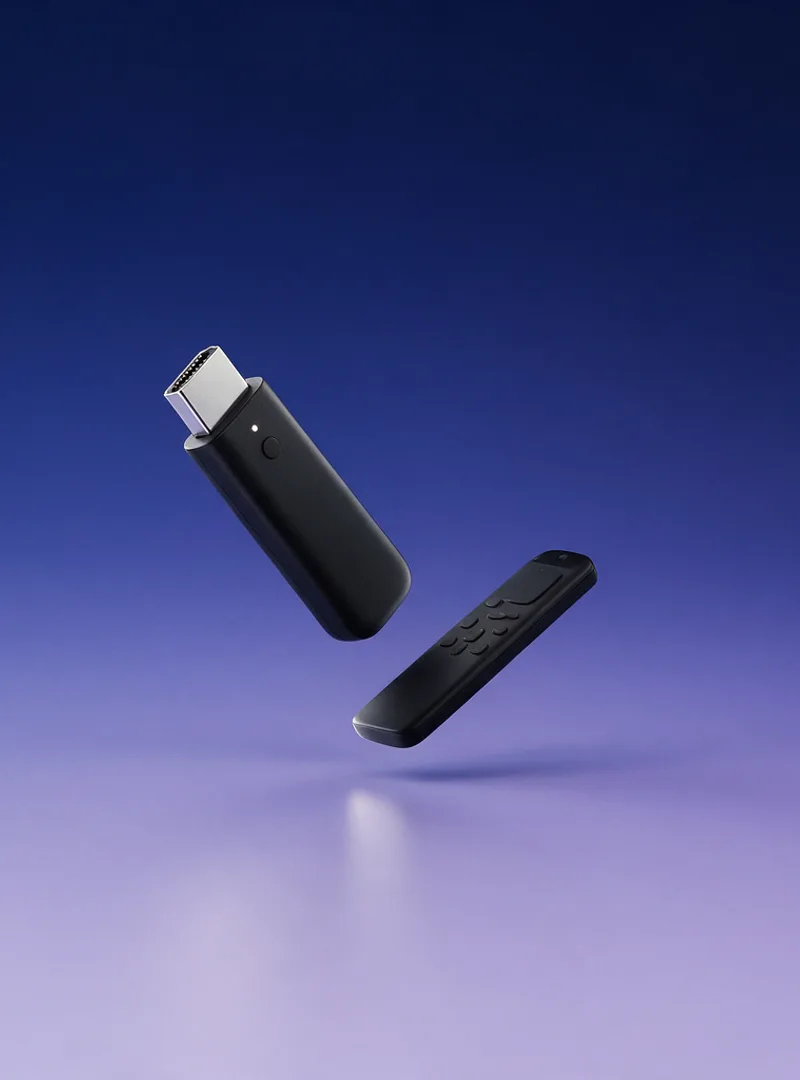
A black streaming stick and its remote on a deep indigo background
About IPTV 4K

A 4K-first service, not an afterthought

Picking the best IPTV service is hard because plenty of providers list 4K on the box and then hand you a stream that softens the moment a camera pans. IPTV 4K was put together the other way round — the bitrate and the server capacity came first, and the channel count grew to 22,500+ around them. Subscribers watch from the United States, the United Kingdom, Canada, Australia and across Europe, on everything from a five-year-old Firestick to a current OLED. Questions go to a person at help@iptv4k.io, and the FAQ covers the setup questions that come up most.

Before you order

The four questions we get most

These come up in live chat almost every day. The full list, including the troubleshooting ones, is on the FAQ page.

What exactly am I buying?
A subscription to a streaming service, delivered as a set of login details rather than a physical product. You get a username, a password and a server address, which you enter into a player app on a device you already own. The terms the subscription runs on are set out in full in our Terms of Service, and the Refund Policy covers when money can be returned.
Will it work on my Firestick?
Yes, including the older models. You install the Downloader app from the Fire TV store, enter code 5728794, and it fetches the player for you. The whole thing takes about five minutes and our setup guide has it written out screen by screen.
What does the free trial actually include?
The same thing a paying subscriber gets — every channel, the full on-demand library and the guide — for 24 hours. There is no card to enter and nothing renews at the end of it, so if you decide against the service you simply stop. Request one on the free trial page and tell us which device you plan to use.
Where do I get the app?
On Android phones, tablets and TV boxes, download the installer from iptv4k.io/iptv4k.apk. On a Firestick, use Downloader code 5728794 instead — the Fire TV store does not carry it directly. The app page has the steps for every other platform.

See it on your own television before you pay — free for 24 hours.

No payment card required. Full access. Cancel anytime. Start watching in minutes.

Live tonight

What is on tonight, in 4K

The sport calendar changes daily and a list printed on a homepage is out of date by the weekend. The live running order — league, start time and the channel carrying it — is kept where it refreshes hourly.